Redesigning Manipal Hospital's Telecaller Portal for Speed and Clarity



Client
Type
B2B Internal Tool — UX + UI Redesign
My Scope
Patient Search Flow
Doctor Search
Appointment Booking Flow
Team
Senior Designer
Myself
Engineering
Product
Client Specialist
Tool
Figma
Duration
Jan- March 2025
Act one- The scene
Manipal Hospitals processes a significant share of its appointments — 60% of all bookings — through a single internal portal called MAPPS (Manipal Appointment & Patient Processing System), used daily by telecallers at partner call centers to find patients, check doctor availability, and confirm bookings, all while a patient is live on the phone.

“The target: close a booking in under 180 seconds.”
It wasn't happening!
85% of agents were missing the 180-second target
Most of the delay was happening in the first 30 seconds — the patient search
Each agent had 5 browser tabs open just to complete one booking
Note: The tool wasn't just slow. It was making agents work around it instead of through it.

Phone Number
Step 2:
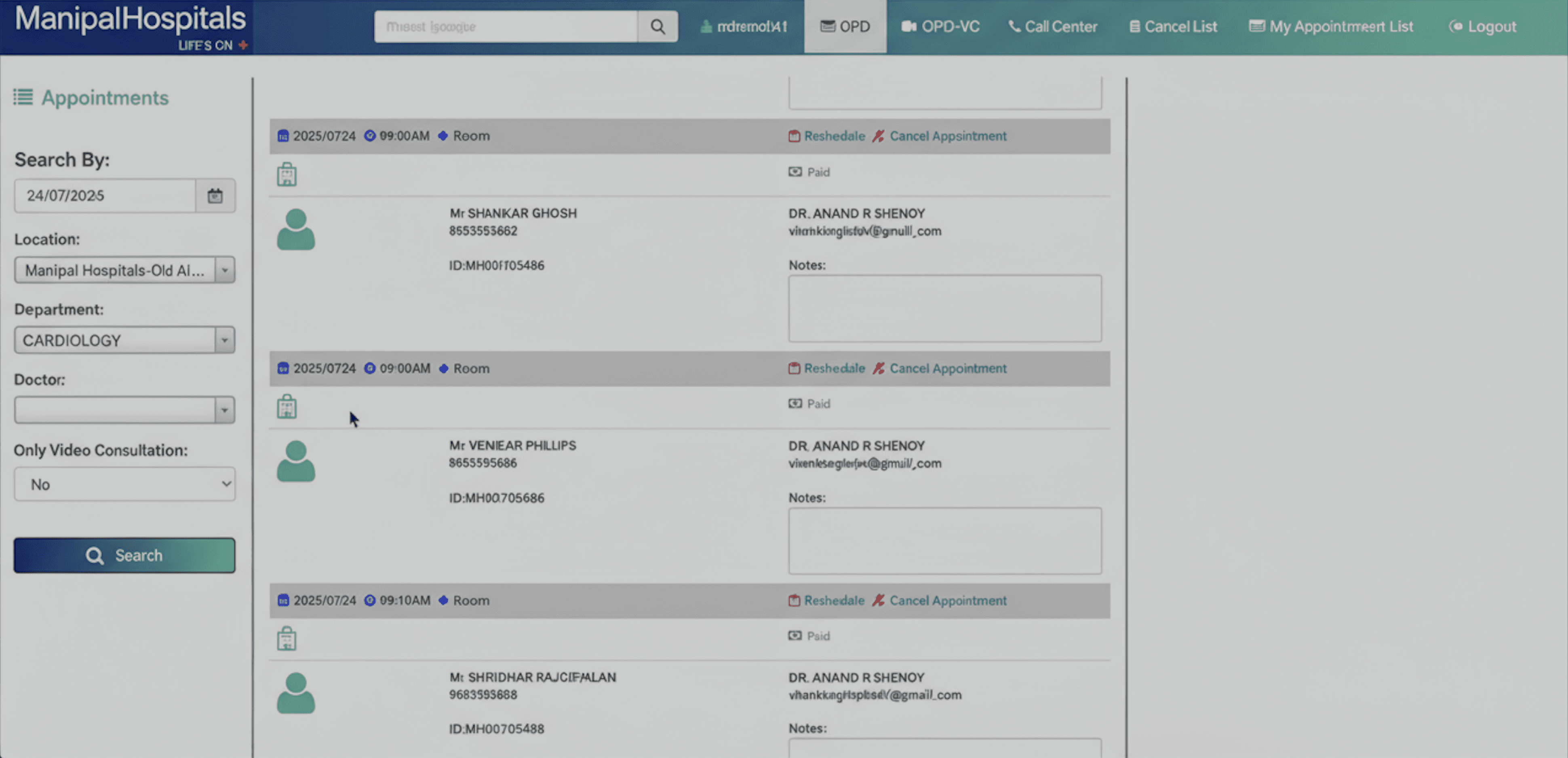
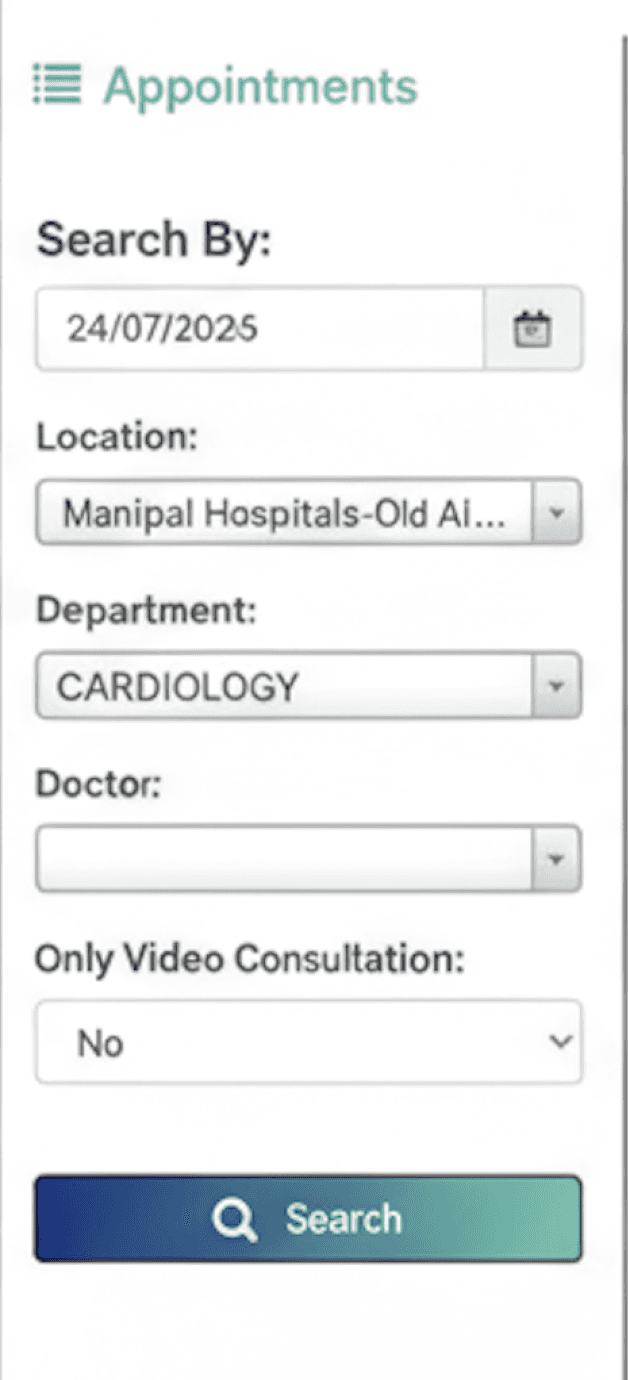
To find appointment - Separate filter required (date, location, department, doctor)
Note: "Two separate search actions were required before an agent could do anything useful on a live call."
Act two- The Investigation
My position on this project -
Joined under a senior designer
Received synthesized research notes from telecaller interviews (Concentrix, on-site)
Owned end-to-end: Patient search flow and Doctor search + appointment booking flow
“The context matters, because it changed how I worked”
What the research said on the surface
Slow system
Poor Search
Missing Features
Inaccurate Data
Anil, 28 — Telecaller, Concentrix Bengaluru
Handles patient booking calls all day
Measured on: average call handling time, conversion rate, error rate
Doesn't need a sophisticated tool — needs one that doesn't slow him down


"If I can't find the patient in the first 20 seconds, I either ask them something I should already know, or I stall. Neither is good."
Key design implication:
In most apps, an error is an inconvenience. For Rakesh, an error happens live — in front of a patient navigating a healthcare concern. The bar for clarity and predictability is higher than almost any consumer context I can think of.
Who was I designing for
What I found underneath
I stopped reading the data as complaints and started reading it as evidence.
Finding 1 — Patient search and appointment search were two disconnected workflows
The old MAPPS had a phone number field — but it only surfaced the patient, not their appointments. To find what the agent actually needed to act on, a second search was required using a separate filter sidebar:
Step 1:
Phone number search — finds patient, but not their appointments
Finding 2 — Rescheduling a paid appointment didn't exist as a feature
If a patient had already paid and needed to change their time, the agent had no path forward except:
Cancel the appointment entirely
Re-book from scratch
Inform the patient of a 7-business-day refund wait
Note: Agents weren't missing a button. The functionality was never built — and it came up regularly enough that "I'm sorry, there's nothing I can do" had become a scripted response.
The real problem:
The system treated connected tasks as separate workflows-
01/ Forcing agents to run multiple searches
02/ Switch tabs mid-call
03/ Work around features that simply didn't exist.
What was happening?
An agent on a live call had to complete both steps before taking any action. If they didn't have the department or location handy — which was common — Step 2 stalled or returned wrong results entirely.
What this meant for call time?
The research showed 85% of agents failing the 180-second target. The two-step search alone was responsible for most of that delay before the call had even progressed to anything useful.
What the existing system actually looked like
Act three- The Hypothesis
"How do we design a system that gets out of a telecaller's way?"
Three design bets, defined before I opened Figma:
For the search flow :
If I collapse the two-step search into a single input that finds the patient and their appointment history at once — the first 30 seconds of every call gets fundamentally faster.
For missing features:
If inline rescheduling and link-resend actions live exactly where the problem surfaces (on the appointment row, not buried in a menu) — agents stop having to deliver bad news about system limitations.
For the booking flow:
If I surface slot availability, consultation type, location, and fee directly on the doctor card — agents stop clicking into detail pages just to compare options.
Act three (B) - Ideation
“I was working within an existing design system established by the team, which meant visual direction was largely inherited. My focus was on information architecture, interaction logic, and the flow decisions the design system couldn't make for me”.
I explored UI layouts across both primary scenarios:
Tele-caller picks up the call
Existing/Registed Patient
New Patient
Discovery/ Search

Starting point in MAPPS
Scenario 2
Scenario 1

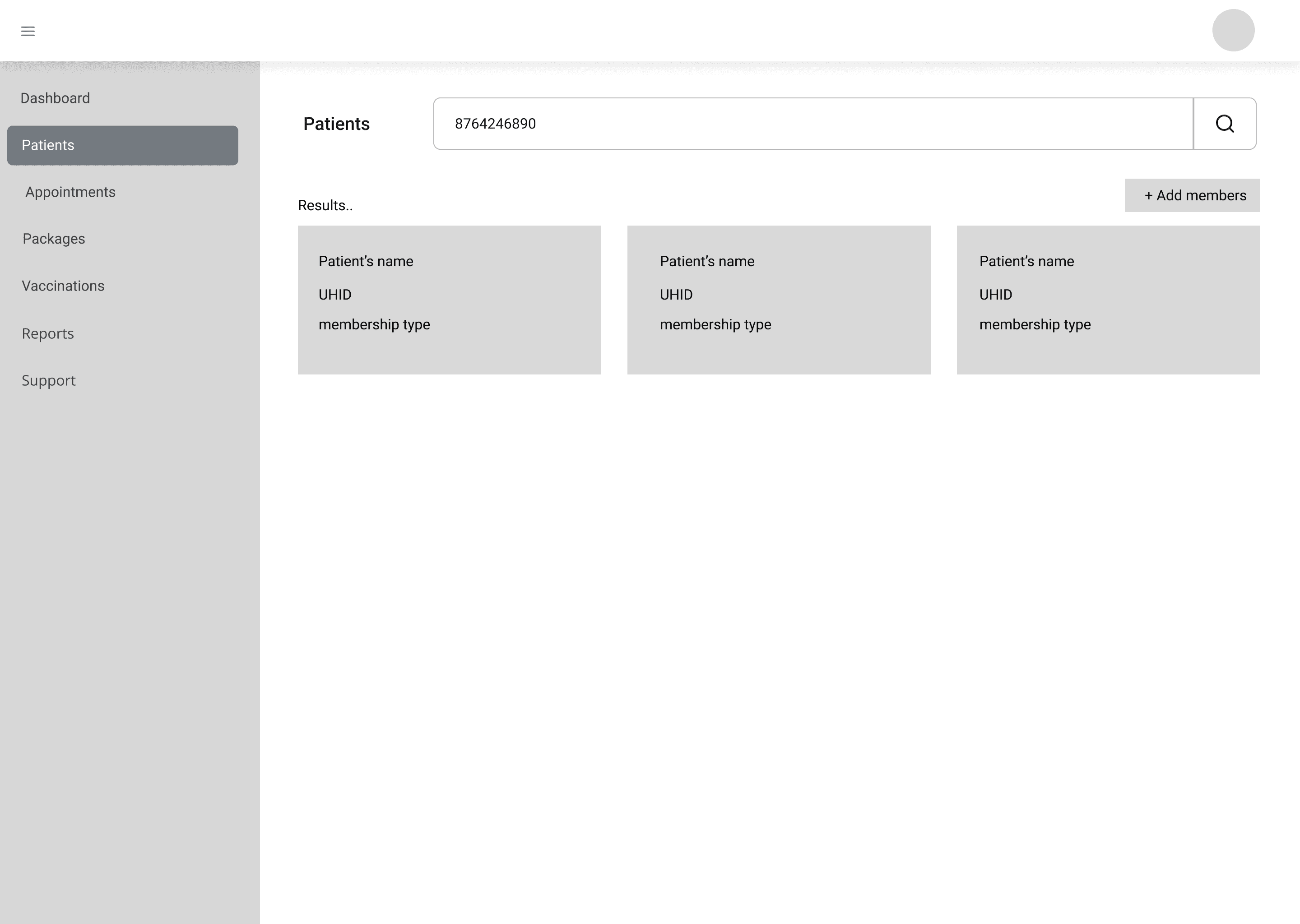
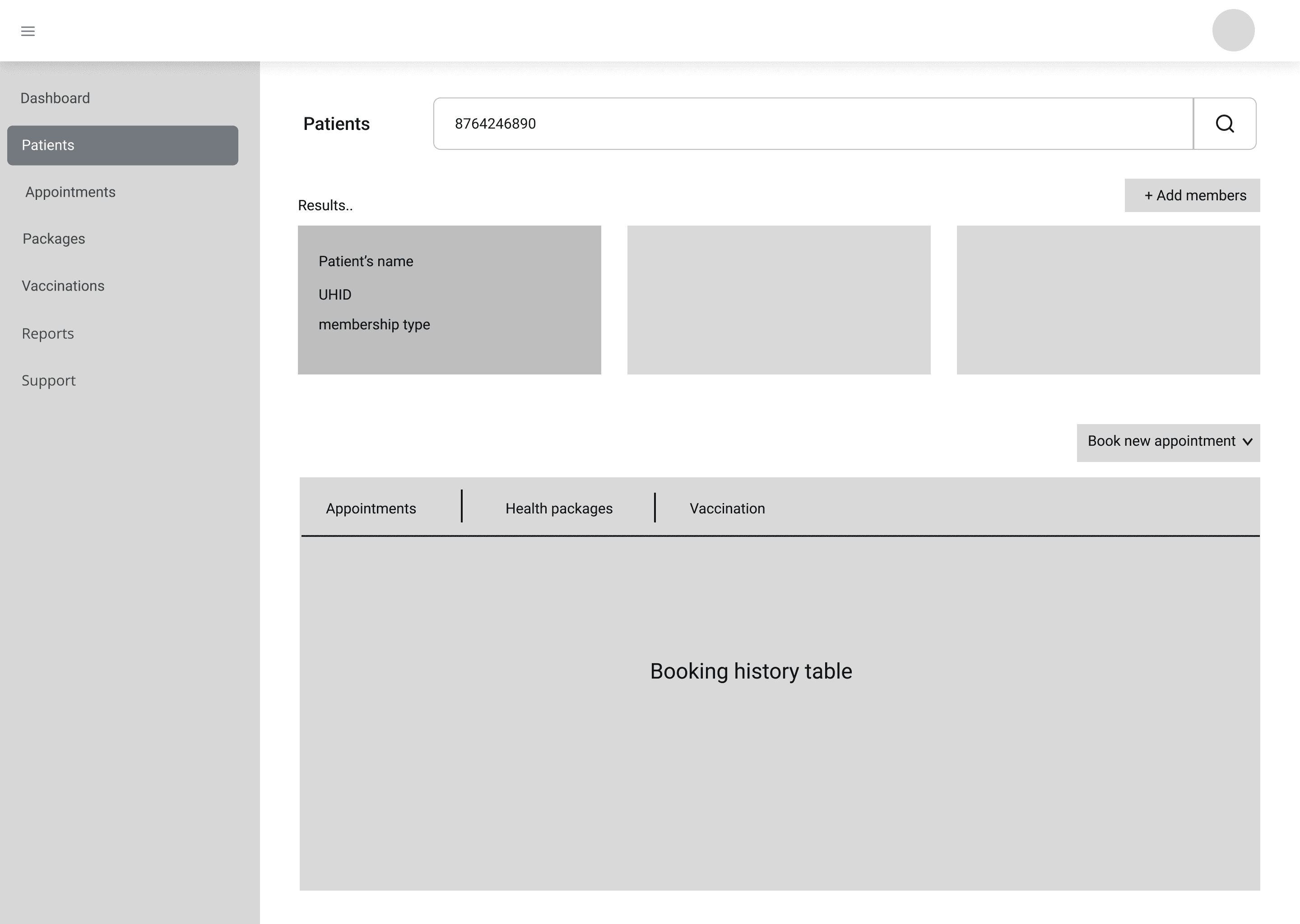
Scenario 1 — Existing Patient
Agent searches → patient record found → appointment history visible and actionable
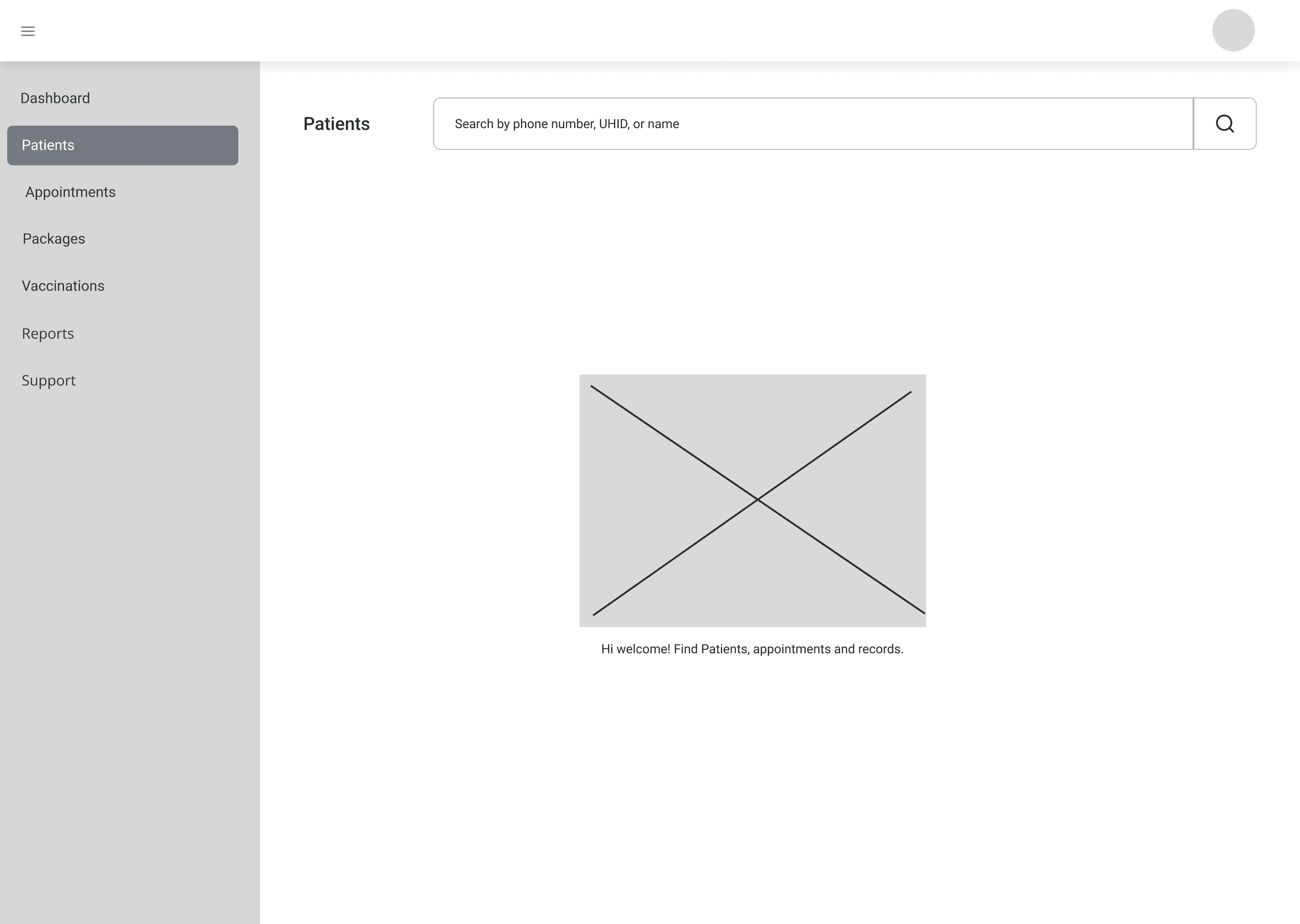
Questions the explorations were solving for:
How much patient info should appear before a family member is selected?
Does appointment history load immediately, or only after selection?
How do multiple members under one number display without reading as separate results?
What should the new Search Journey Map look like?
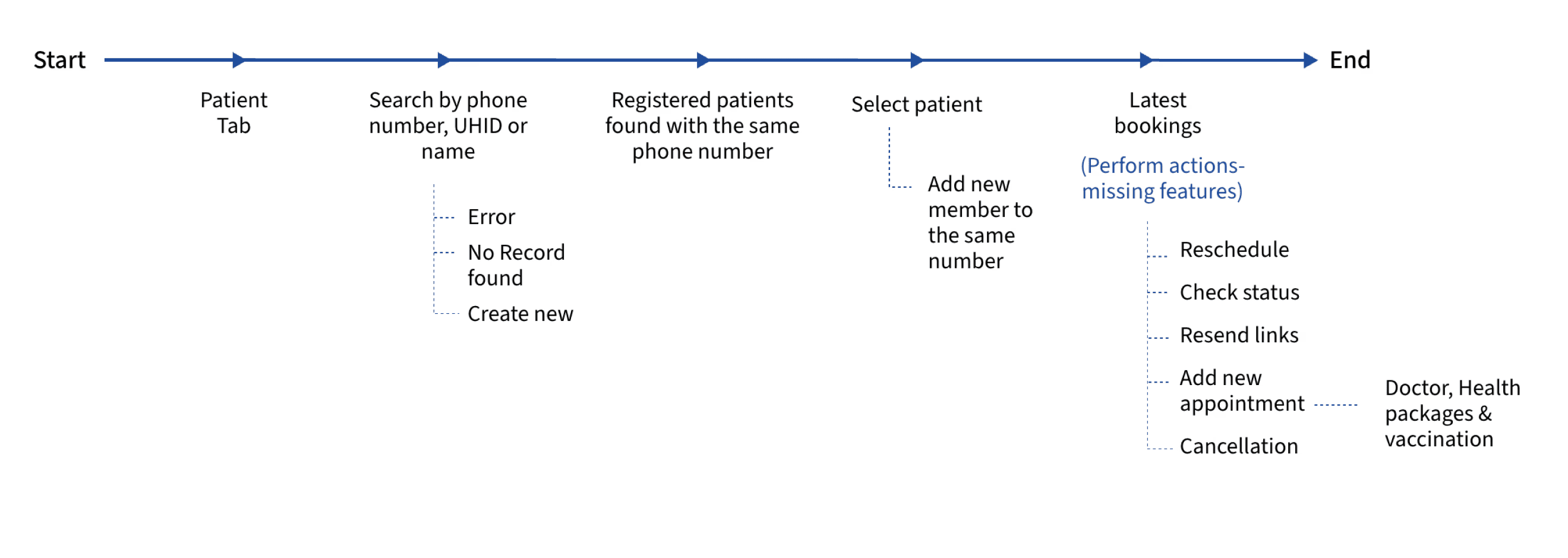
Questions the explorations were solving for:
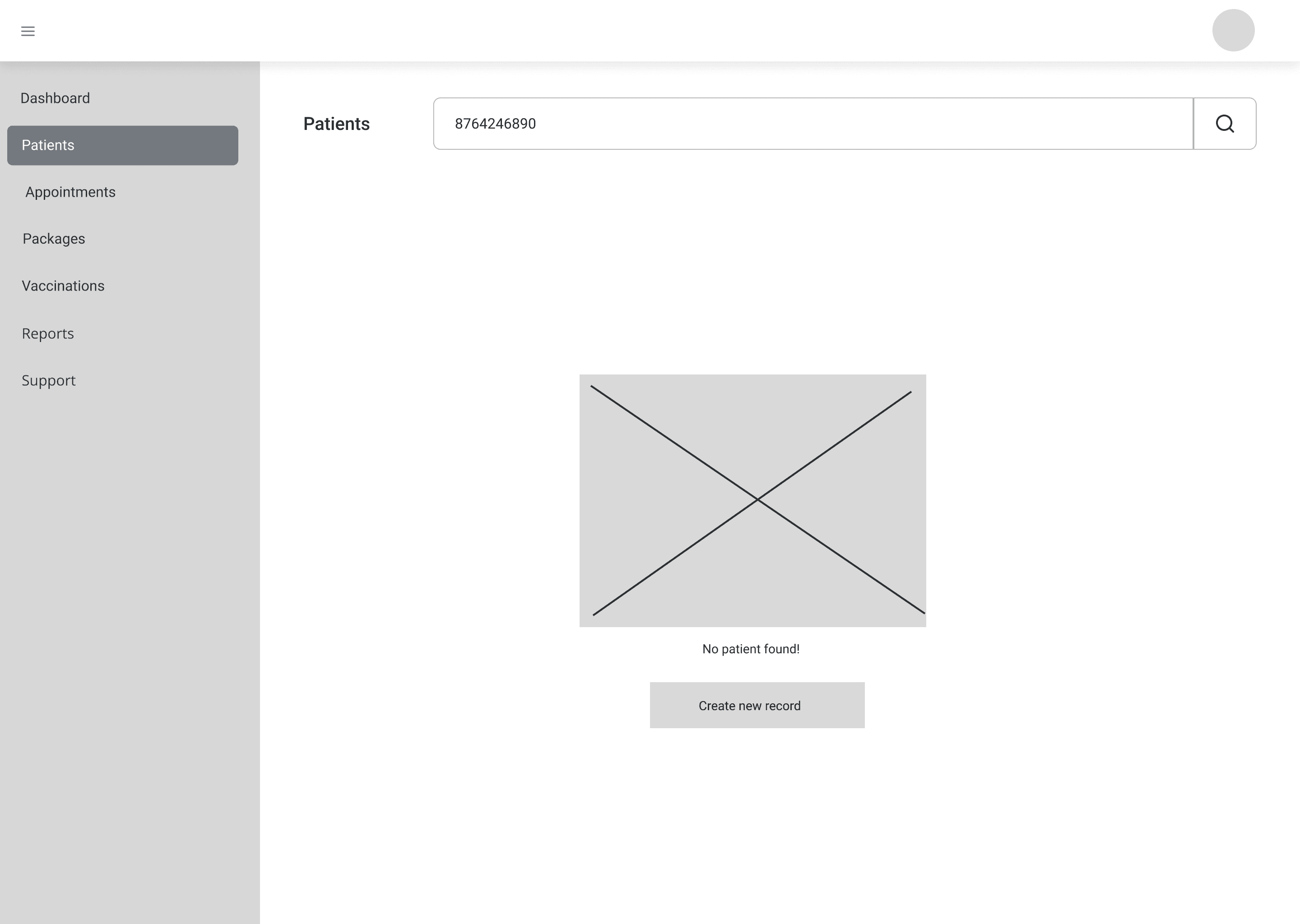
How quickly does the no-result state communicate itself?
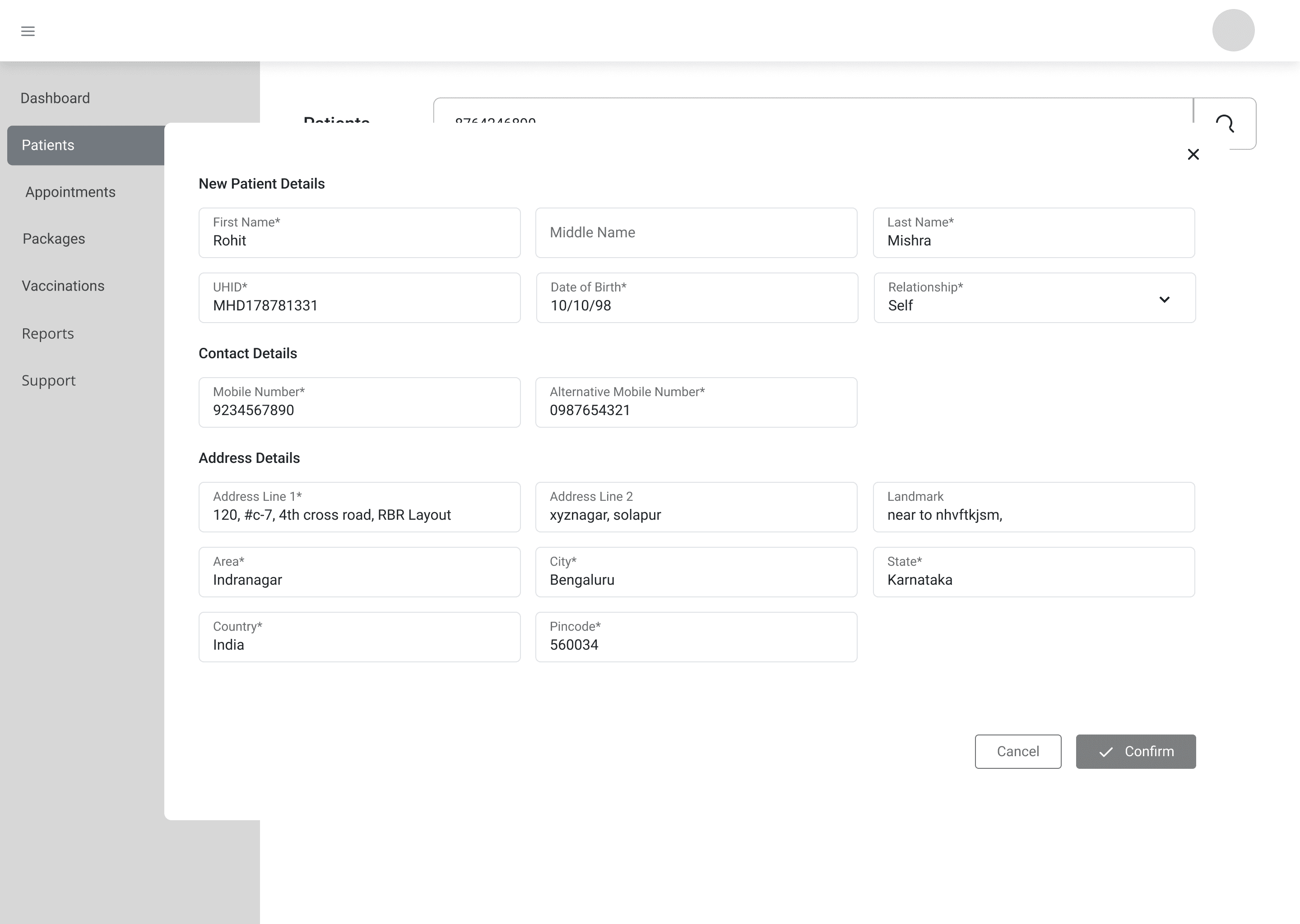
Is "Create New Patient" inline with the result or a separate navigation step?
What's the minimum the creation form asks for without stalling an agent mid-call?
Scenario 2 — New Patient
Agent searches → no record found → immediate path to create new patient
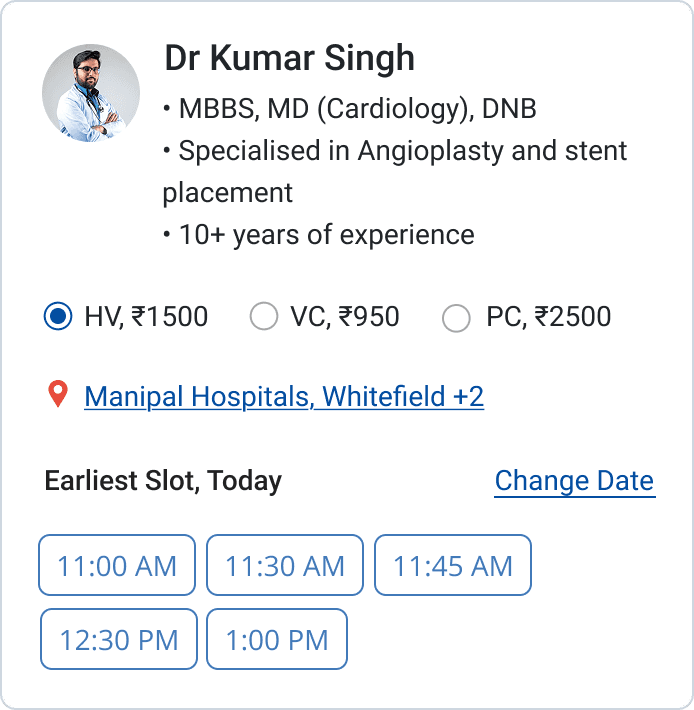
What I explored: Doctor's card
Horizontal Cards
Long scroll to compare doctors — every scroll is a time tax on a live call
Minimal card with click-through
Forced a detail page visit per doctor before any comparison was possible
Option 1-
Option 2-
Adding What Was Never There :
Feature
What agents had before
What the redesign provides
Inline Reschedule
Cancel → rebook → 7-day refund wait
Reschedule modal directly on the row
Resend Payment Link
No option existed
Action on Payment Pending rows
Resend Confirmation
No option existed
Action on Confirmed rows
Note: " All three missing features share one rule: they live exactly where the problem surfaces — on the appointment row, not behind a navigation step."
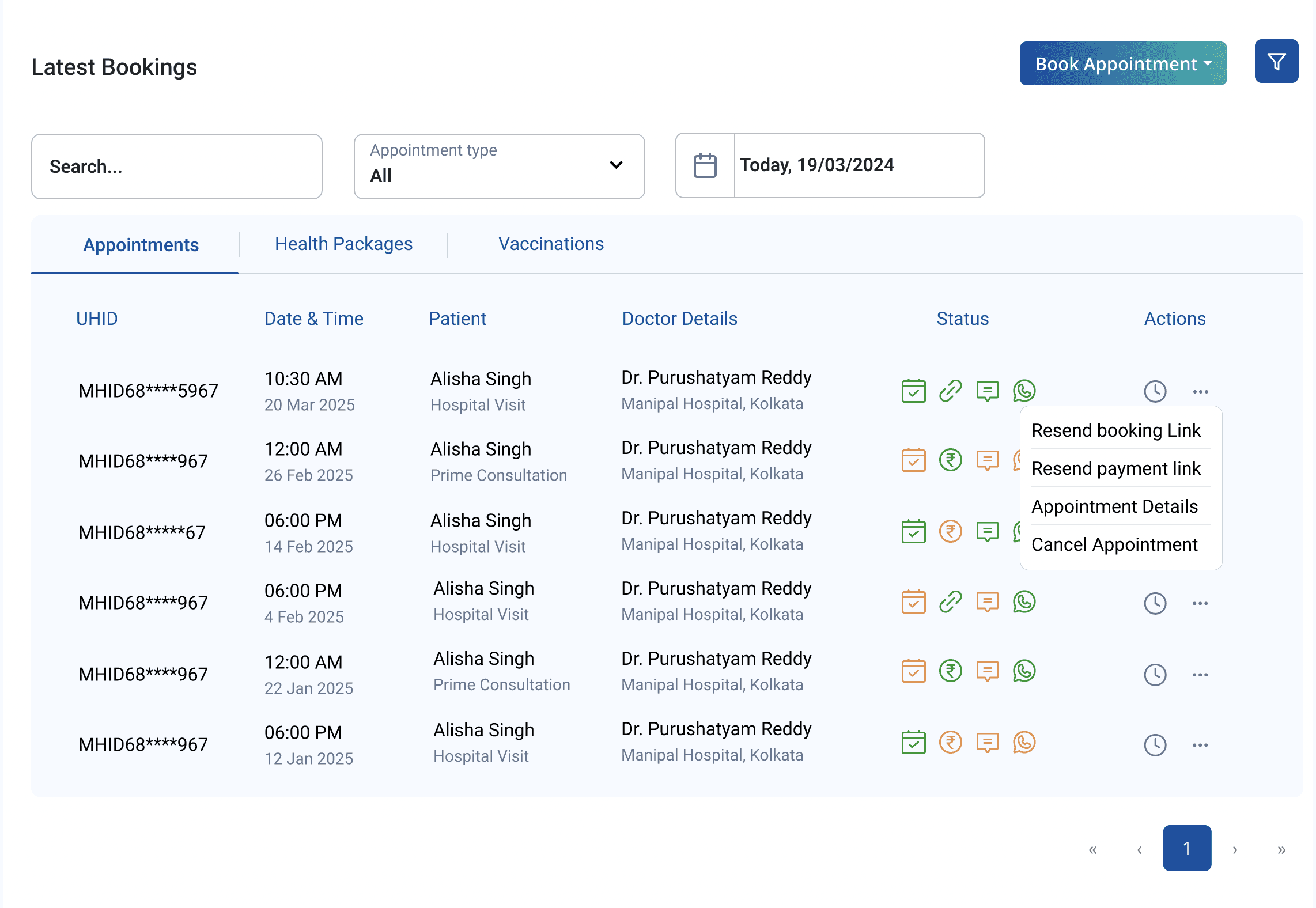
Why a table for appointment history, not cards:
Telecallers aren't browsing
they're locating one specific piece of information fast.
Tables let the eye track columns (date, doctor, hospital, status) without processing each entry as a whole. Cards add scroll. Scroll costs seconds. Seconds cost calls.
What the redesign changed:
Replaced the two-step search with a single input — phone number, name, or UHID
System resolves context automatically: found / multiple family members / not found
Family members grouped clearly under one number — not listed as separate results
Appointment history loads immediately on patient selection — no second search
"Create New Patient" is the dominant CTA on no-result — not buried below a message
Act Four - The Work
Search & Patient Discovery Flow
“The question I designed from: What does an agent actually have when a call connects? → A phone number. Sometimes a name. Rarely anything else.”
Doctor Search & Booking Flow:
“The tension: Agents need enough per doctor — slots, type, location, fee — to recommend on a live call. Too little means clicking every profile. Too much means a wall of information per card".
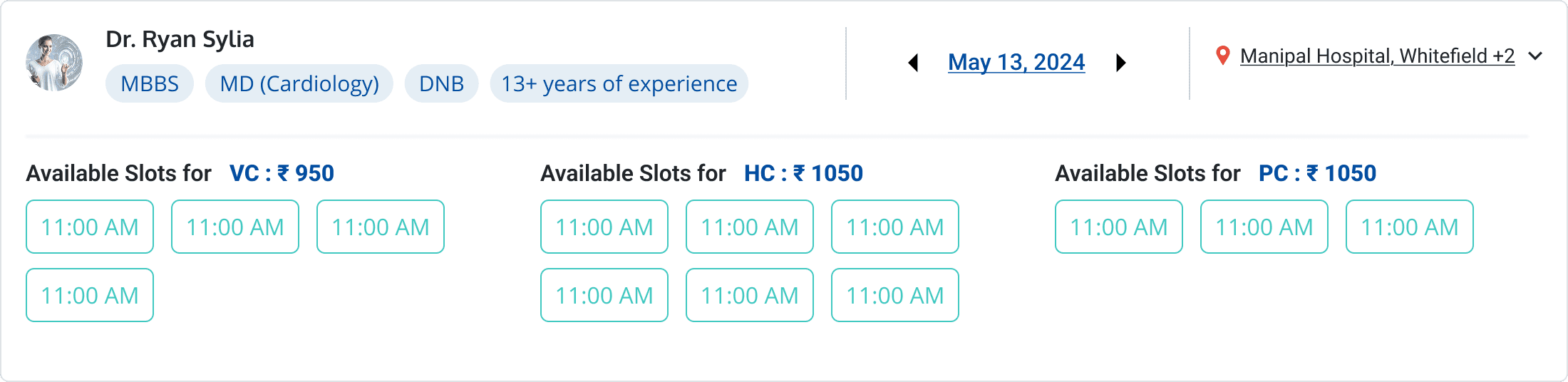
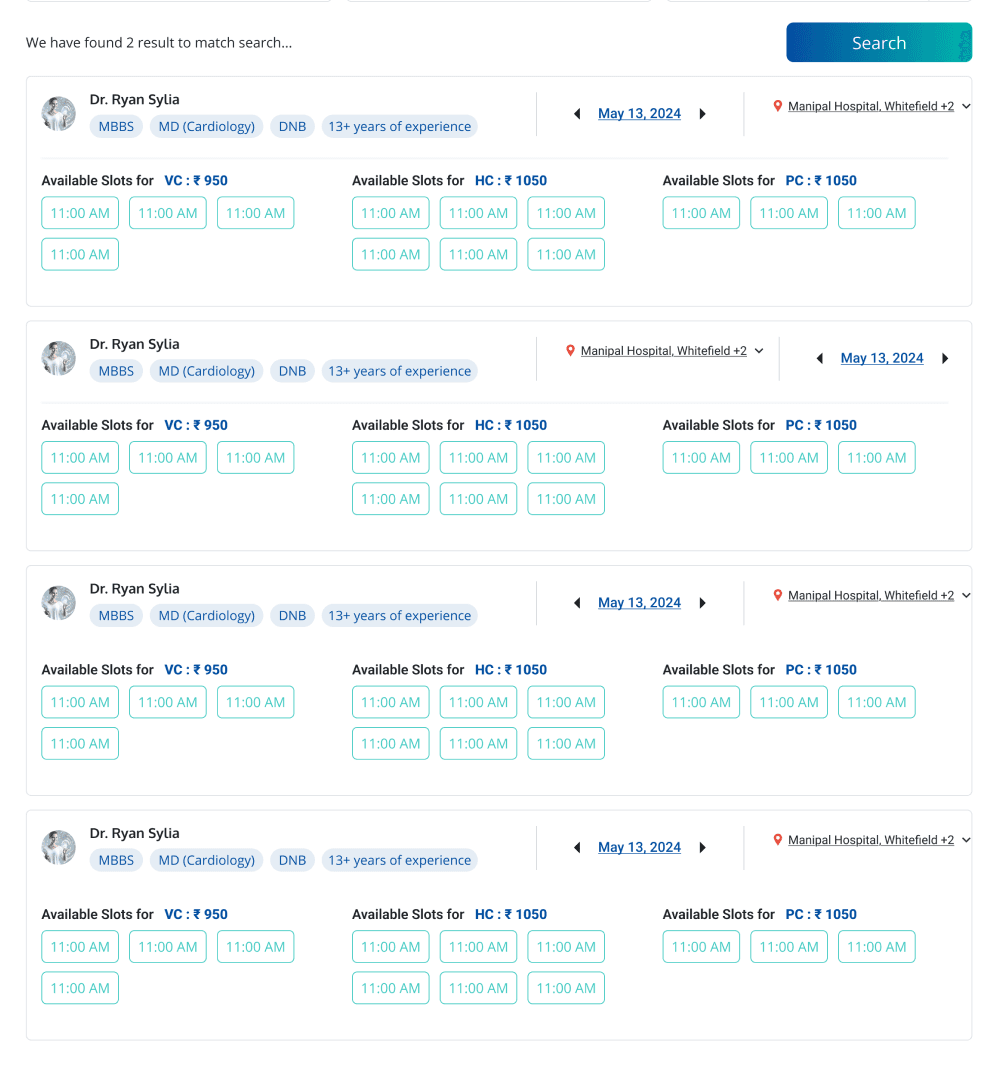
After Multiple Iterations with option 2- Final Doctor's Card
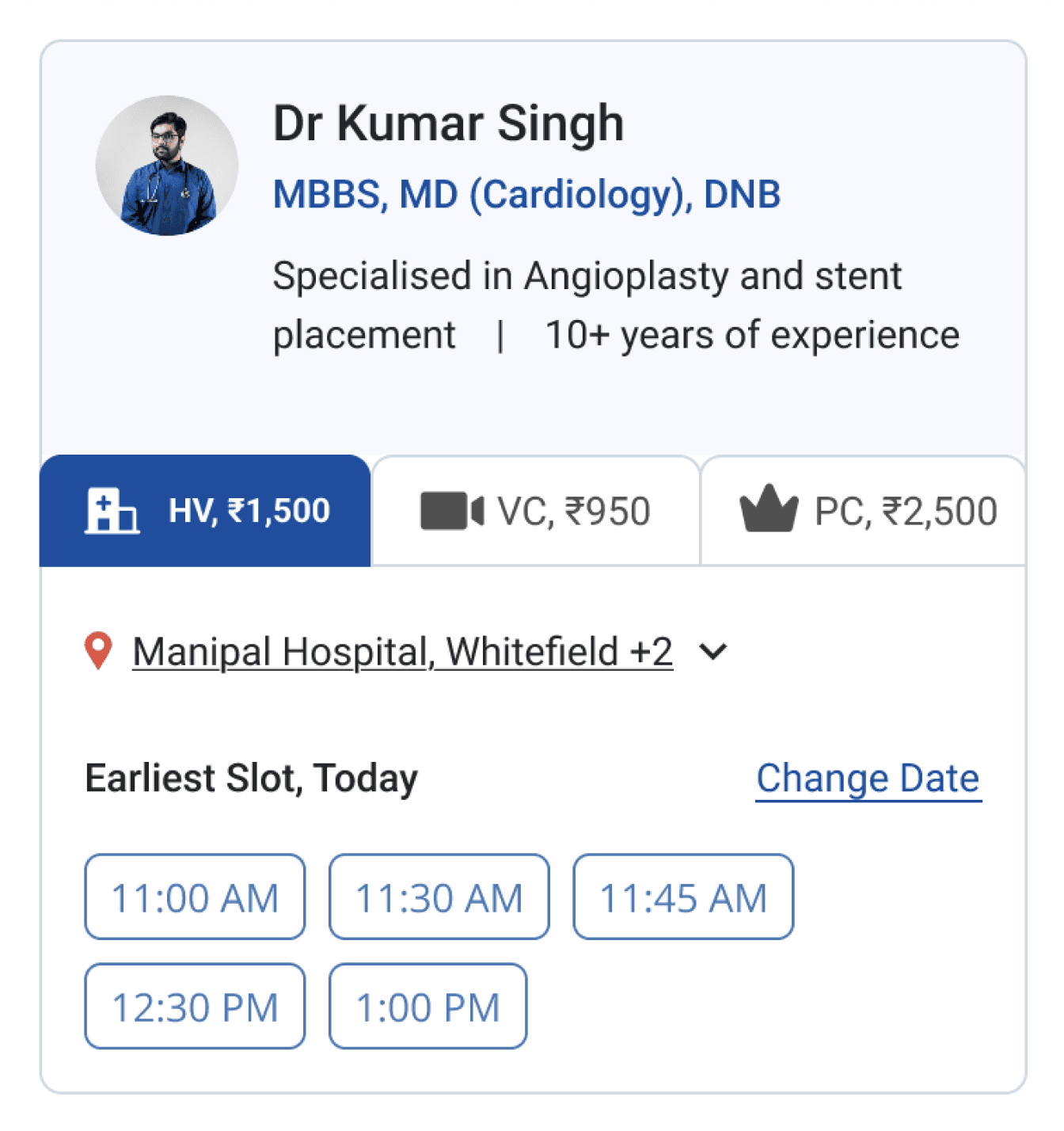
Name, specialisation, years of experience
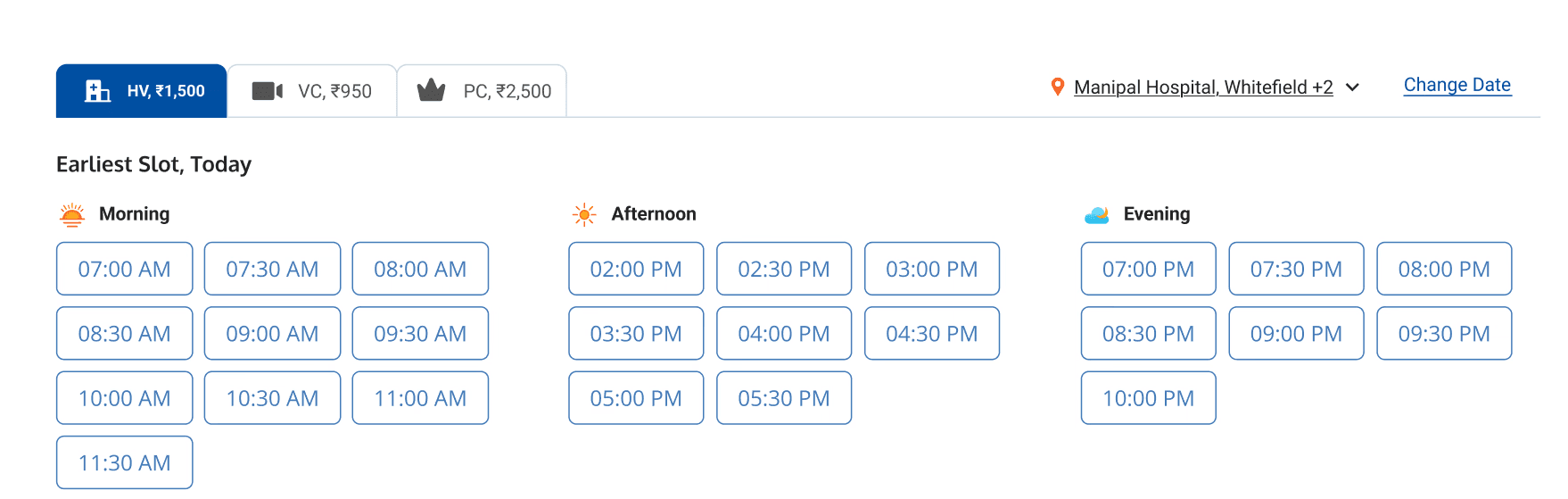
Consultation type tabs: Hospital Visit / Video / Prime — fee shown per type
Location + date controls inline — change without navigating away
Available slot grid on the card itself
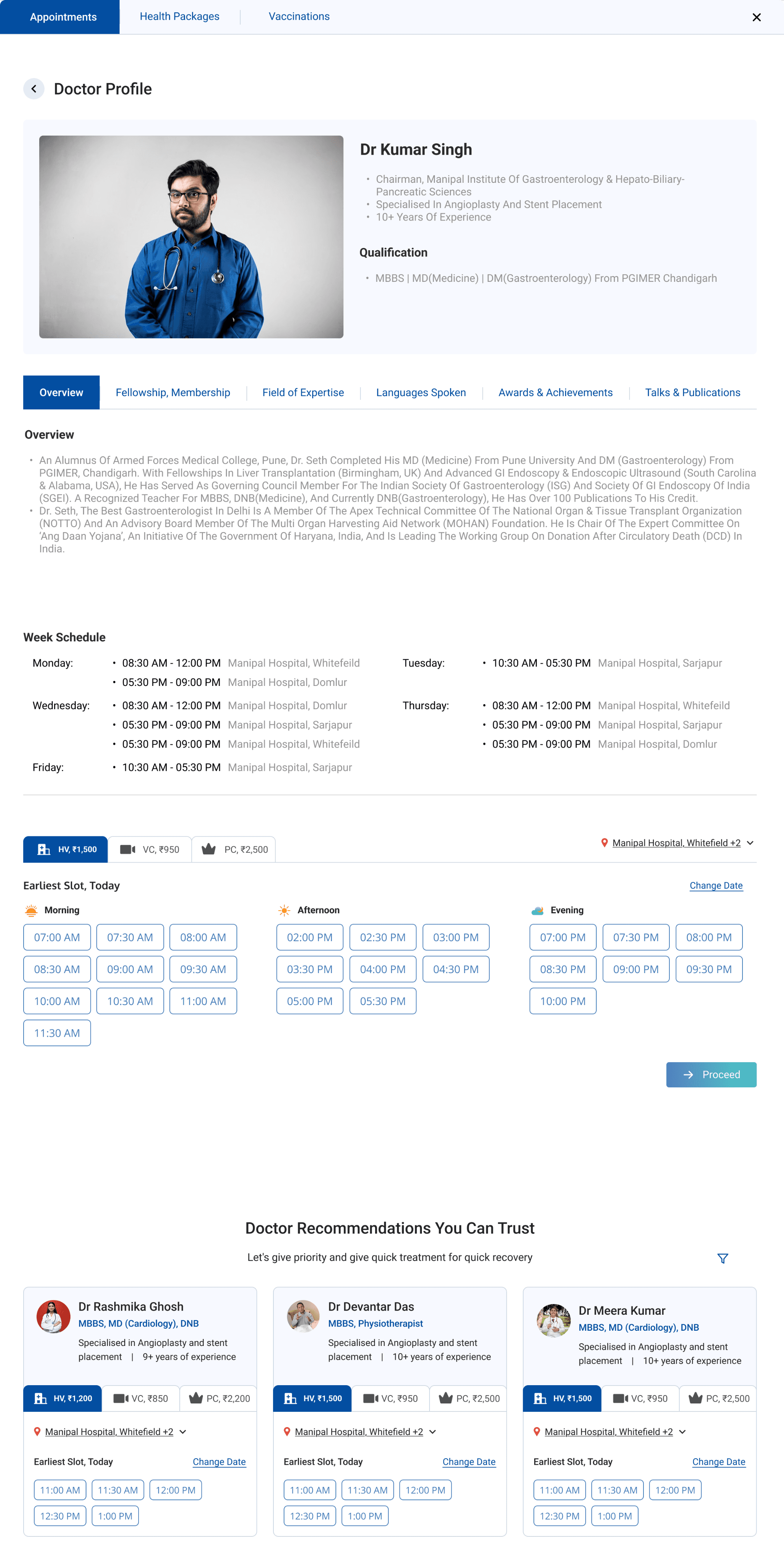
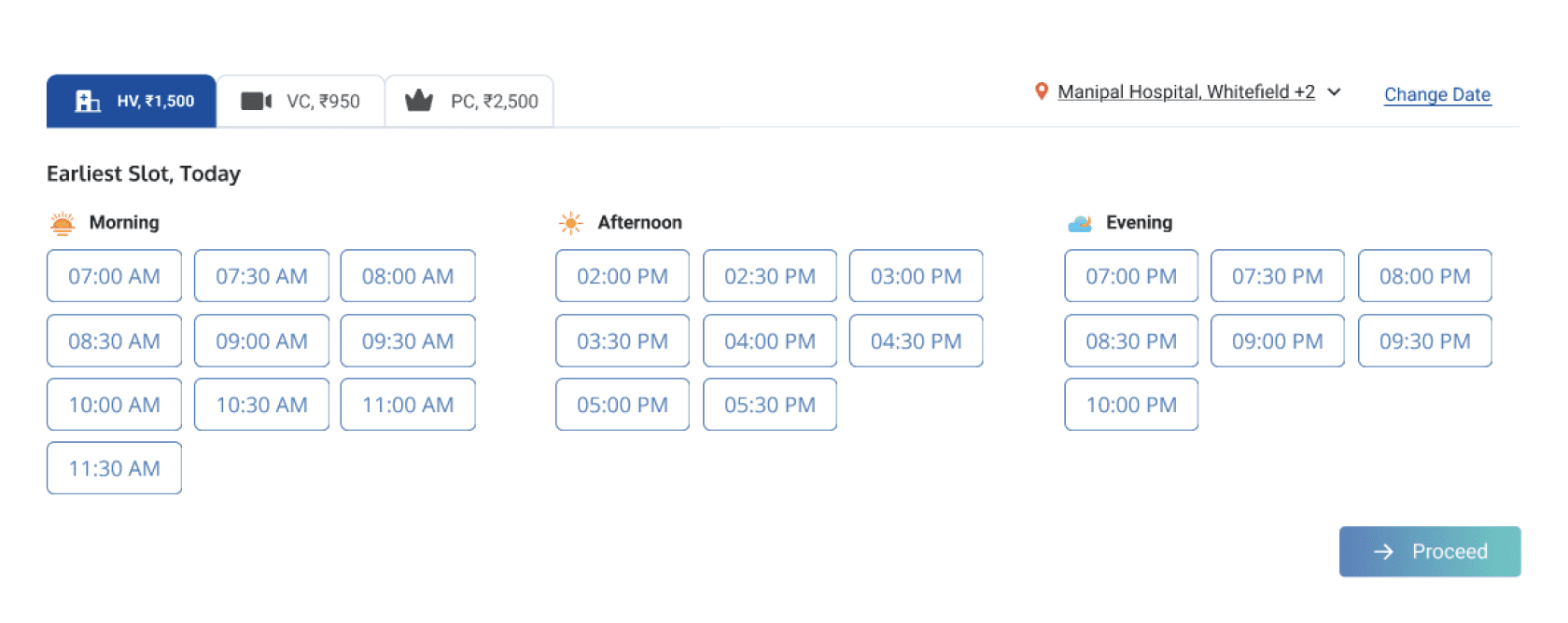
Detailed Doctor’s profile
Doctor’s schedule for each location
Flexible slot selection
Recommendations for more doctors
Followed by Doctor's Detail Page
What the new Doctor's Search & Booking flow look like:
Book new appointments CTA- directly from the patient page
Optimised filters for doctor's search
Detailed and actionable Doctor cards on search
Flexibility of Slot selection
Pre-filled fields for quick action
Act Five- The Honest Reckoning
“I wasn't part of formal usability testing on this project. So I'm not presenting percentage improvements I can't verify. Here's what I can stand behind — outcomes that are structural and verifiable directly from the design ”
What I Can Stand Behind :
Design Changes
Structural Outcome
Collapsed two-step search into single input
Finding a patient + appointments: 2 separate searches → 1
Removed mandatory prerequisite fields
Search inputs required: 4+ → 1
Added inline reschedule
Eliminated the cancel → rebook → 7-day refund workaround
Added resend payment link
Confirmed pain point now has a direct solution
Added resend confirmation
Confirmed pain point now has a direct solution
Consolidated patient view
Most common call tasks in one screen — fewer mid-call tab switches
What This Changed in How I Think
Two steps that feel connected are still two steps The search problem wasn't obvious at first glance — there was a search field, it returned results. It was only when I traced the full task (find patient and find their appointment) that the disconnection became visible. Tracing tasks to their actual end point — not their apparent one — has stayed with me.
Research you didn't collect still tells you things Not being in the interview room meant I couldn't ask follow-ups. So I learned to read each finding as a symptom — asking not just "what did the user say" but "what does this point to structurally?" That second question is where the real design direction came from.
Constraints are still design decisions Working within an existing design system meant visual direction was largely inherited. The leverage was in information architecture — what's surfaced vs. buried, what's contextual vs. static, what lives where the problem surfaces vs. what requires navigation. In B2B tools especially, that's where most of the usability work actually lives.

